Intended Use Context
Record who uses the cards, where, and how they are facilitated.

Planning Guide
Review the decisions and open questions for a coaching card deck.
This guide walks you through the key choices that shape your deck, from content and format to packaging, quote inputs, and supplier questions. Use it to prepare a clearer project brief for human review.
Record who uses the cards, where, and how they are facilitated.
Organize prompts, categories, instructions, and artwork mapping.
Surface missing product decisions and supplier questions.
Keep capability, tolerance, proof, timing, and delivery fields explicit.
Coaching cards are structured prompts, reflections, and tools used in sessions, workshops, and programs. Their intended use and outcomes remain defined and validated by the project owner.
Every choice adds project inputs or supplier confirmations to the quote scope.
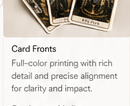
Record content density and intended handling, then compare supplier-supported sizes.

Record the requested feel and handling, then map it to supplier-specific finish options.
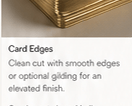
Record target handling and opacity, then map stock name, thickness, core, and finish per supplier.
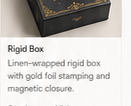
Record the requested structure, material, insert, closure, decoration, and packing method.

Record whether supporting instructions are needed and define their complete print scope.
Record these fields early, then confirm their exact price impact for the supplier and configuration.
| Scope | Project records | Supplier confirms |
|---|---|---|
| Cards | Count, size, artwork mapping, handling target | Stock mapping, print scope, finish, tolerance |
| Packaging | Requested box, insert, closure, decoration | Construction, compatibility, assembly, cartons |
| Supporting print | Guidebook or insert scope | Paper, color, binding, placement, template |
| Proof or sample | Purpose and acceptance questions | Representation, charge, freight, timing, credit |
| Commercial basis | Quantities, currency, destination | MOQ, inclusions, exclusions, Incoterm, terms |
Pricing requires a current supplier quote. No unbound public price example is presented.
Request the same complete specification at quantities relevant to actual demand.
Keep setup, tooling, assembly, freight, and exclusions visible at every tier.
Do not infer quality or landed-cost improvement from quantity alone.
Pilot content and layouts with intended users, then record feedback before production.
Keep prompts short, specific, and open-ended.
Avoid clutter. Good whitespace improves readability.
Use clear, legible fonts at a size that works.
Arrange cards in a logical sequence or grouping.
Use colors, tone, and visuals that reflect your audience.
Pilot your deck with real users and refine based on feedback.

Track each stage as a separate supplier-confirmed clock.
Confirm artwork scope and supplier-specific templates.
State what the proof represents and how approval is recorded.
Record the production clock, start gate, and exclusions.
Define inspection points, tolerances, evidence, and release gate.
Record destination, mode, Incoterm, named place, and transit basis.
Choose the step that best matches where you are in your project.
You have a concept and want to organize the inputs and questions needed for supplier review.
Explore deck formats, finishes, packaging, and options.
Use local checks before human and supplier-specific file review.
MOQ confirmed per configuration and supplier
Record content, design, packaging, and intended use for feasibility review
Quoted inclusions and exclusions kept separate
Capabilities, compatibility, tolerances, and production terms require confirmation
Identify the next specification and supplier questions